Wassup Buddy
UI Design

Description
All of us have fantasies of exploring the world and seeing various locations. So it is both exciting and a little terrifying when you manage to land your dream internship or job in a different city. But to breeze through the post-move adaptation period, you should make an effort to meet new people and befriend some of them.
Problem Statement
Making new friends can be challenging for anyone for people with social anxiety,it can be an overwhelming and intimidating experience.
Solution
Wassup buddy is an app designed with a user-centered approach. Local events are customized around the user’s location, and interests & also based on the search feature. The user does not have to navigate through interesting events listings on the screen, they can use the search feature which will organize into categories to avoid the number of listings. Furthermore, the app offers all the information a user might potentially need, including calendar accessibility, and the ability to find individuals who share similar interests with them and send them a predefined message to start a conversation.
Design Process
It's important to follow a structured process to ensure that the design is effective, user-friendly, and meets
the needs of the target audience.
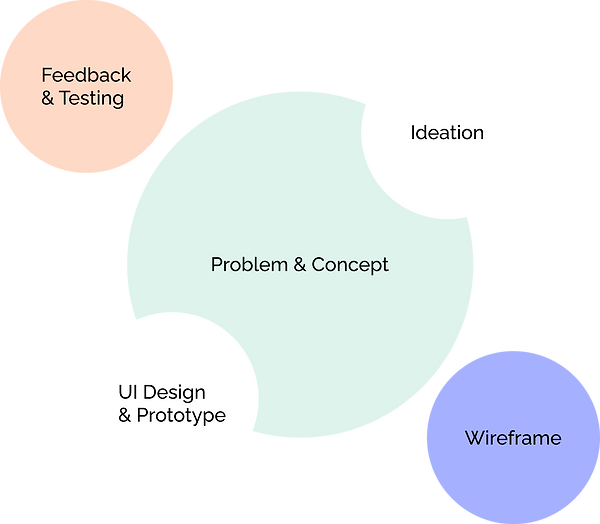
Objectives
The goals of this project were simple; identity the pain points target users encounter while searching for events of interest and explore feasible ideas that best solve these user needs.
Research
Before going directly into the design it was essential to understand what other online event apps provide
and how they work, and what users like and dislike about those event apps. This concludes me to rise a
few questions to the target audience.
-
How do you feel when you’re in a new environment with no friends around?
-
How do you meet new people and make friends in the new city?
-
How do you know about the event in your locality?
-
How do you know that event is useful?
-
What types of events do you prefer?
-
How do you find interested groups around the new city? Do you use any app?
With the answers from the User research, I was able to identify some of the issues users face and their requirements during user interviews.
Summary of Research Insights
In Person Events
-
Some event organizers failed to mention the quantity of the event and so parking, directions are poor
-
The venue are not integrated with Google Maps so people find it difficult
-
Meeting like-minded people feels good
Online Events
-
Organizer rarely answers the questions
-
The chat box is moving fast and not able to cope with others
-
Only a few send a recording of the session
-
Improper wifi connection so missing pieces of information
Ticketing Events
-
Purchasing tickets is easy
-
Reselling tickets options are not available
-
Canceling last minute takes most of the money
Why to cancel events that signed up before
-
Other priority events happening at the same time
-
Friends canceling at the last minute
-
Forgot about the event after signing up
-
Bad climatic conditions that particular day
Others general comments
-
Most users use Facebook events for general events happening in the locality
-
Users attend events if specific friends show up
-
Links to pay tickets are spam sometimes
-
Lots of options in the category and failed to signup for any event
Pain points
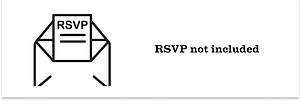
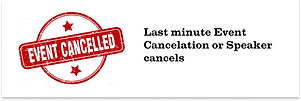


After collecting data from users, it's time to do
Competitive Analysis
I surveyed the users asking about different online booking event platforms like Facebook events, Eventbrite, Meetups, Twitch & Accelevents.
Some of these event platforms have great features for engaging attendees including, gamification and networking features, and some are popular amongst gamers, with in-built chat, calendar, and many more. I wanted to keep things simple for the draft and decided to go with some limited but important features.
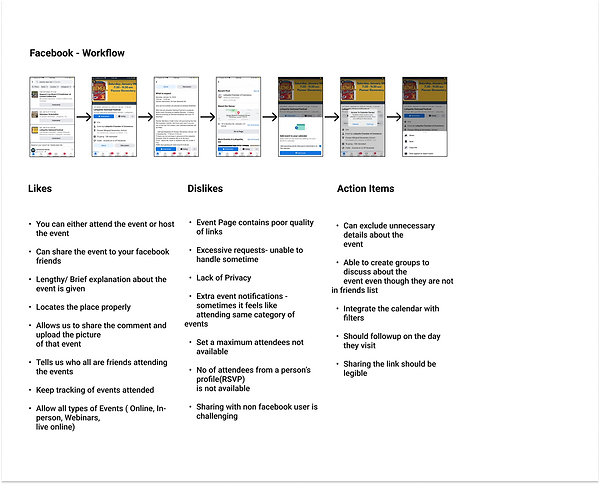
Find the link to the complete research findings HERE
User Persona
In one of the processes in this project, I tried to get some comments from the user about the current booking strategy for an event. The essential part of this is that I wanted to understand what type of issues they face from start to end.

Ideation
At this stage, I did brainstorming and came up with a few ideas aimed at resolving the issues
that were uncovered with the users at the interview stage. I came up with a possible solution
for each following
RSVP Option which tells the user how many numbers of people signed up and shows
the list to other members. It will be helpful to take the decision and increase the number of
attendees.
Event Detail showing the event detail for the user to plan
Calendar to add the events and also to avoid same-time registration to another event
Built-in Chat messages to like-minded people about their interests, where they live to
avoid the self-introductory part which most of them hesitate to start.
Site Maps
We wanted to make the app as simple as possible, without adding extra features that may distract the user from its main purpose. The app’s main features are the finding like-minded people to hang out with them and calendar integration to prioritize their events accordingly.

Wireframes
In this ideation process, I created this wireframe to present the content, information, and basic layout. After numerous sketches and iterations, I created low-fidelity prototypes of the app screens using the program Figma tool so that there would be an opportunity for user testing during usability studies.

Style Guide
Wassup buddy logo was designed to visualize the meaning that it has a built-in chat feature and colors just fit with its acoustic nature. Fonts, icons, and colors are well-balanced with building relationships with the end-users.



Visual Design
Based on the feedback from usability testing, have done some refinement in high-fidelity designs. Using Figma, I have designed Visual designs screens as the solution to the problem statement proposed.
Sign up page of the Wassup buddy

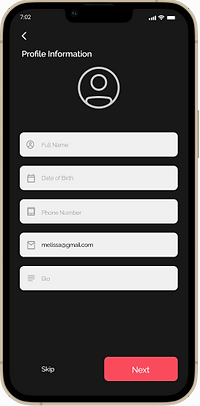
Profile Creation screen, where the email id
is taken from the sign up information given
Select the categories based on the
user’s wish


User’s preference based on their needs
Like-minded People based on information collected above


Design based events in the location
preferred and numbers of friends
attending the event
Event details are showed, about the
event, when and where it is happening,
People who all attending the event
and also able to share this link through
the social platforms


Registered events are stored in
calendar and show up in notification
when days close by
A high fidelity prototype of the app created in figma is found here.
Usability Testing Feedback
80%
Overall task success rate
from Unmoderating and
Moderating Testing Method
30 Seconds
Average time spent on
each tasks
90%
Users who all struggle
to get done with one
particular task
Participant Data
Summary
From the data gathered, we discerned that our pool of testers was comprised of adults (in the range of 25 to 35 years old), who uses phone and desktop application equally and have experience in moving to a new place (city, state, country). The majority of the testers were female(66.3%) and two males. Professionally, our testers represented a large variety of careers.


Finding Summary
Task Completion
Of the 4 total tasks attempted all 5 participants :
-
80% of tasks were able to complete
-
15% of one task need assistance
-
5% of the similar task were not completed
Additional Finding Included
-
Inconsistent bottom navigation name
-
Some Accessibility issues
-
Change of icon from page to the land page
Recommendations
15 recommendations are provided.
Positive Feedback
Several positive findings were observed,
particularly around shortcuts & navigation
Conclusion
Throughout the journey of this side project, I learned as a designer that it's essential to keep the users at the center of your design process. The key to a successful user-centered design process is to continually listen to your users' feedback and iterate on your designs accordingly. I will finish this case study with the famous design Quote by Lorinda Mamo, a designer - “Every great design begins with an even better story.”